
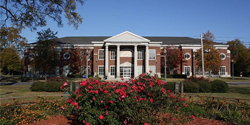
 FLORENCE-FLPL will be closed December 24-28 and January 1, but now is a great time to get signed up for FREE computer classes in the New Year!
Class registration is done on a first-come, first-serve basis with limited seating. Beginners may sign up for a 4-week series, while intermediate and advanced level classes are offered as one-time topics depending on your interests. We’ll also help you with your new tablet with our Tablet Series in February. Register by calling 256-764-6564 ext. 27 or emailing classes@flpl.org.
January 2015
 Beginner Series (with Microsoft Windows 8)
Computer Basics
Wednesday, January 7, 10:00-11:30 am
Users will familiarize themselves with basic power on and shutdown, use of the mouse, and an understanding of Microsoft Windows programs, applications, and desktop.
No skill prerequisites
Internet Searching
Wednesday, January 14, 10:00-11:30 am
Various websites will be viewed and explained, including information regarding weather, maps, health, and news, so that users become familiar with navigating from one website to another and searching for basic information. A variety of search engines will be explored as well.
Skill Prerequisites: Mouse, Keyboard
 Computer Organization
Wednesday, January 21, 10:00-11:30 am
This class will focus on the structure and organization of the computer, including file storage within Computer, Documents, and on the desktop. Flash drives will be discussed as well as the overall organization of files and folders.
Skill Prerequisites: Mouse, Keyboard
Basic Email
Wednesday, January 28, 10:00-11:30 am
Learn how to set up an email account, compose, receive, and send emails as well as open and attach photos.
Skill Prerequisites: Mouse, Keyboard, Basic Internet
Intermediate Series
 Video Chatting
Tuesday, January 6, 3:30-5:00 pm
Become familiar with sites like Skype, GotoMeeting, FaceTime, and Google Plus for having a face-to-face conversation through your computer/device screen!
Skill Prerequisites: Active Email Account, Basic Internet
*Participants must bring their phone or tablet if they want to use these apps on their devices.
eBooks and eReaders
Thursday, January 15, 1:00-2:30 pm
Bring your eReader device with you to learn how to check out eBooks from our library’s collection; become familiar with the basic ins-and-outs of your device.
Skill Prerequisites: Active Email Account, Mouse, Keyboard, Basic Internet
*Participants must bring their eReader, library card, and be able to log in to their Amazon or iCloud account.
 Microsoft Windows 7 versus 8
Friday, January 16, 10:00-11:30 am
Have you upgraded your computer operating system lately? Are you overwhelmed by the changes that have been made? Learn the differences between Windows 7 and 8 and how you can complete your daily tasks in the new system.
Skill Prerequisites: Windows, Mouse, Keyboard
Digital Cameras/Photos
Tuesday, January 20, 3:30-5:00 pm
This class will aid users in saving their digital photos onto the computer as well as organizing them into files and folders to be retrieved later. Users will acquire skills for editing their photos and sending them as email attachments.
Skill Prerequisites: Mouse, Keyboard, Basic Internet, Active Email Account, Beyond Basic Level
*Participants must bring their own cameras, smartphones, or tablets (along with USB cords) in order to access their pictures.
 Advanced Email Part 1: Content Sharing
Thursday, January 22, 1:00-2:30 pm
Learn about how to share files and photos through attachments as well as how to share information through website links.
Skill Prerequisites: Active Email Account, Mouse, Keyboard, Basic Internet, Beyond Basic Level
Computer & Internet Security
Monday, January 26, 10:00-11:30 am
We will discuss antivirus software options as well as the basic definitions of firewalls and add-ons. We will demonstrate the process of cleaning out your internet browser history and cookies. Internet security tips when shopping and using a credit card will also be presented.
Skill Prerequisites: Mouse, Keyboard, Basic Internet
 Advanced Email Part 2: Organization
Thursday, January 29, 1:00-2:30 pm
Acquire skills for efficiently organizing your email tasks with folders, contacts, filters, and calendars.
Skill Prerequisites: Active Email Account, Mouse, Keyboard, Basic Internet, Beyond Basic Level
February 2015
Microsoft Office Series
Microsoft Office Word
Tuesday, February 3, 5:30-7:00 pm
Users will become familiar with page layout, formatting pictures, alphabetizing lists, and inserting various applications.
Skill Prerequisites: Windows, Mouse, Keyboard
 Microsoft Office PowerPoint
Tuesday, February 10, 5:30-7:00 pm
Users will learn to create visually appealing PowerPoint presentations by editing slides, selecting a design, and inserting images.
Skill Prerequisites: Windows, Mouse, Keyboard
Basic Microsoft Excel
Tuesday, February 17, 5:30-7:00 pm
Users will gain knowledge of spreadsheets and their basic functions. They will learn how Excel may be helpful in the organization of textual lists or numerical data.
Skill Prerequisites: Windows, Mouse, Keyboard, Beyond Basic Level
 Advanced Microsoft Excel
Tuesday, February 24, 5:30-7:00 pm
Formatting options will be described while the process for inserting pivot tables and completing mail merge will be explained.
Skill Prerequisites: Windows, Mouse, Keyboard, Beyond Basic Level
iPad/iPhone Series
*Participants must bring their iPad or iPhone with them to these classes and know their iCloud username and password.
Device Basics
Wednesday, February 4, 1:00-2:30 pm
Become familiar with navigating your Apple device. Learn the difference between wi-fi and 4G connections along with how to adjust text size and font. Learn basic definitions such as syncing, apps, and iCloud.
 Communication
Wednesday, February 11, 1:00-2:30 pm
Set up your email account for easy access on your device. Learn how to communicate with your contacts via text message, Facebook message, or FaceTime.
Skill Prerequisites: Active Email Account, Active Facebook Account
Photos
Wednesday, February 18, 1:00-2:30 pm
Learn to use your device camera and share your photos via email, text message, Facebook, or Instagram.
Skill Prerequisites: Active Email Account, Active Facebook Account
 Streaming
Wednesday, February 25, 1:00-2:30 pm
Become familiar with streaming music and videos on your device. Learn about apps such as Spotify, Pandora, Netflix, YouTube, and more.
Kindle Fire/Android Series
*Participants must bring their Kindle Fire or Android devices with to these classes and must know their Amazon or Google usernames and passwords.
 Tablet Basics
Friday, February 6, 10:30am-12:00pm
Become familiar with navigating your tablet. Learn the difference between wi-fi and 4G connections along with how to adjust text size and font. Learn basic definitions such as syncing, apps, and the Cloud.
Communication
Friday, February 13, 10:30am-12:00pm
Set up your email account for easy access on your device. Learn how to communicate with your contacts via text message, Facebook message, or video chat.
Skill Prerequisites: Active Email Account, Active Facebook account

Friday, February 20, 10:30am-12:00pm
Learn to use your device camera and share your photos via email, text message, Facebook, or Instagram.
Skill Prerequisites: Active Email Account, Active Facebook Account
Streaming
Friday, February 27, 10:30am-12:00pm
Become familiar with streaming music and videos on your device. Learn about apps such as Spotify, Pandora, Netflix, YouTube, and more.

